Using PAN Finder in the Thredd Portal Interface
PAN Finder includes a single screen in the Thredd Portal interface that allows you to obtain the 16-digit PAN from a 9-digit Public Token. You can also retrieve the 9-digit Public Token from the PAN using the options on the screen. When you have been granted the role of Sensitive Information Manager, you will see the PAN Finder option in the left-hand menu.
PAN Finder Temporary Password
When accessing PAN Finder, you receive a temporary password through your email with the subject of Panfinder temporary password from BTP-Thredd@thredd.com. You receive a new password from the Thredd system when:
- You access PAN Finder for the first time.
- You sign in to a new session as a PAN Finder user.
- You resume access to PAN Finder after 15-minutes of inactivity.
The password expires after 15 minutes.
Performing a Search
The following steps show you how to find a PAN from its Public Token or a Public Token from a PAN.
-
Sign in to Thredd Portal
 Thredd Portal is Thredd's web application for managing your cards and transactions on the Thredd Platform. For more information, see the Thredd Portal Guide. via Single Sign On (SSO).
-
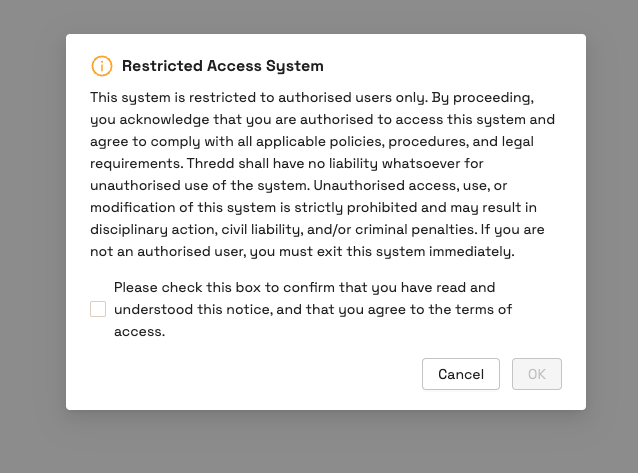
Go to Thredd Portal > PAN Finder. A disclaimer appears.
-
Read the disclaimer notice, and then select the check box.
-
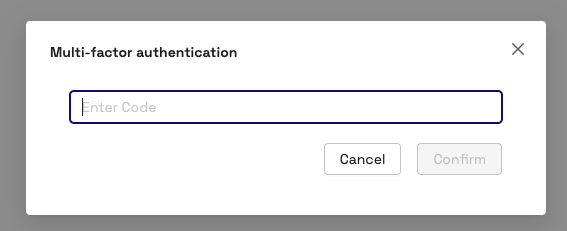
Click OK. The Multi-factor authentication dialog appears.
-
Copy the password from the email that has the subject of Panfinder temporary password, and paste it into the field of the Multi-factor authentication dialog.
-
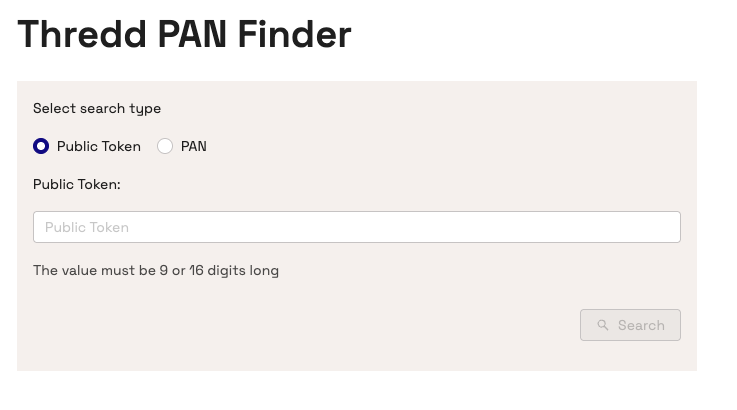
Click Confirm. The Thredd PAN Finder page appears.
-
To find the PAN from the Public Token:
- For Select search type, ensure that the Public Token option is selected.
- Type in the 9-digit number in the Public Token field.
- Click Search. The PAN displays.
-
To find the Public Token from the PAN:
- For Select search type, select the PAN option.
- Enter the 16-digit PAN in the PAN field.
- Click Search. The Public Token displays.
To prevent the data from being exposed, the PAN or Public Token details that appear as search results are cleared after 30 seconds.